
De Raspberry Pi 5 heeft een PCIe 2.0 x1-interface op het bord die gebruikt kan worden voor snelle randapparatuur zoals NVMe-SSD’s — maar alleen met een speciale adapter/HAT. Ik gebruik een M.2 NVME M-key & PoE+ Hat for RPi 5 van 52Pi.
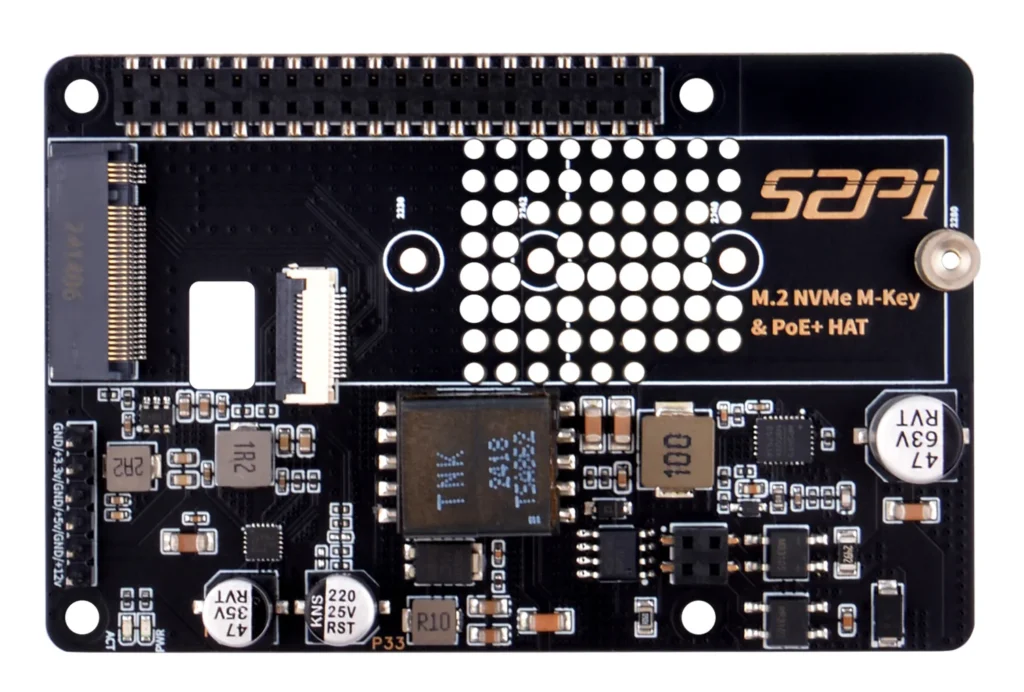
52Pi EP-0241 (M.2 NVME M-key & PoE+ Hat for RPi 5)

Descriptions
The M.2 NVME M-key & PoE+ Hat for Raspberry Pi 5 is an innovative accessory that significantly expands the capabilities of the Raspberry Pi 5. Designed with versatility in mind, this PoE+ (Power over Ethernet) Hat allows for a streamlined setup by enabling the Raspberry Pi to draw power directly from an Ethernet port through the use of a PoE switch or PoE power supply. This eliminates the need for a separate power supply and simplifies the overall system architecture.

Features
Power over Ethernet (PoE+) Capability: Streamlines the power supply setup by allowing the Raspberry Pi 5 to be powered through the Ethernet port.
5.1V/4.5A Output: Ensures that the Raspberry Pi 5 and any connected peripherals receive adequate power for optimal performance.
Compatibility: Specifically designed for the Raspberry Pi 5, ensuring a seamless integration with the device.
Safety Warning: A clear note to avoid connecting a power supply to the USB-C port when using the PoE+ Hat to prevent potential device damage.

Specifications
PoE type: PoE+
Interface: M.2 NVME M-key
SSD size: 2230/2242/2260/2280
Power Input: Ethernet (PoE+) 802.3at protocol, upto 25.5w
Output Voltage: 5.1V
Output Current: 4.5A
Compatibility: Raspberry Pi 5
Safety: Do not connect power supply to USB-C port when PoE+ Hat is in use.
De SSD disk die ik gebruik is van Western Digital type WD Blue SN580 1TB.
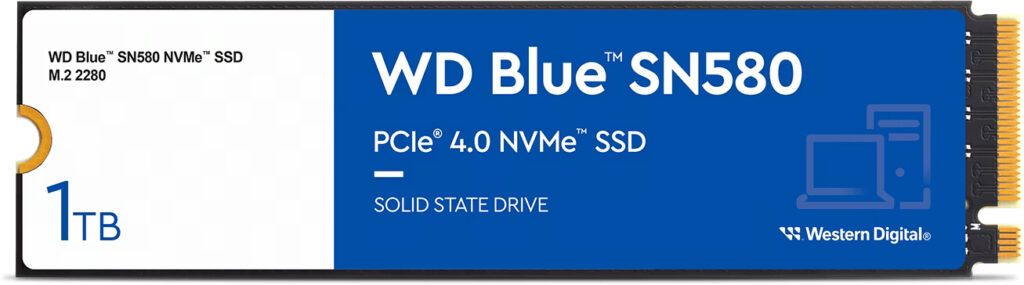
WD BlueTM SN580 NVMeTM SSD

Product Highlights
• Boost productivity or design creatives effortlessly by upgrading to PCIe Gen 4.0 SSDs with up to 4,150 MB/s1 read speeds (1TB and 2TB2 models)
• Make light work of heavy files with Western Digital®’s nCacheTM 4.0 technology enabling blistering fast copying of large files or media assets
• With up to 2TB2 of storage on a slim M.2 2280 form-factor, applications, data, and media such as photos, 4K videos, and music can be stored on the same drive
• Keep creating uninterrupted when you’re in the zone or on the go with low-power storage to maximize your laptop’s battery life
• NVMe delivers application responsiveness while multitasking between projects with large and complex workflows
• Rated up to 900TBW3 with Western Digital’s 5-year limited warranty5 for peace of mind reliability
Bij de Raspberry Pi 5 zijn stabiliteitsproblemen met PCIe Gen3 een bekend en normaal verschijnsel, vooral in combinatie met NVMe-HATs zoals de 52Pi EP-0241. De Pi 5 heeft PCIe 2.0 x1 hardware en is elektrisch en qua signaalintegriteit niet ontworpen voor stabiele Gen3-snelheden.
Factoren die instabiliteit veroorzaken:

Lange of goedkope FFC-lintkabel
Extra lagen via een HAT
Geen retimers / redrivers op de PCIe-lijn
NVMe-controllers (zoals die in WD SN580) zijn strenger qua signaalkwaliteit
Resultaat: bij Gen3 is de foutmarge extreem klein.

Verwachte snelheid (belangrijk!)
PCIe Gen2 x1 (stabiel)
~ 400–500 MB/s
Volledig betrouwbaar
Aanbevolen instelling ✅

PCIe Gen3 x1 (instabiel)
Theoretisch ~ 800–900 MB/s
In praktijk:
vaak crashes
datacorruptie mogelijk ❌
➡️ Het snelheidsverschil is de instabiliteit niet waard.

Aanbevolen oplossing (best practice)

👉 Zet PCIe vast op Gen2
In /boot/firmware/config.txt:
dtparam=pciex1
pciex1_gen=2
⚠️ Gebruik géén pciex1_gen=3 op productiesystemen.
✅ Forceer PCIe Gen 2
Het is noodzakelijk de boot config aan te passen om het systeem stabiel te krijgen. De parameter dtparam=pciex1_gen=3 werkt instabiel, de juiste parameter is dtparam=pciex1_gen=2. Neem het volgende op in /boot/firmware/config.txt:
# Enable PCIe
dtparam=pciex1

# Force PCIe Gen2 (officieel ondersteund, snel genoeg voor ~400-500 MB/s)
dtparam=pciex1_gen=2
✅ Voorkom NVME sleep states
Daarnaast is het noodzakelijk om ook cmdline.txt aan te passen zodat het aansluit op een NVMe-booted Pi 5 setup. Belangrijk is dat alle parameters in één lange regel staan en er geen carriage returns (cr) worden gebruikt. De volgende parameters zijn noodzakelijk voor nvme setup nvme_core.default_ps_max_latency_us=0 (voorkomt NVMe sleep states) en rootwait. De volledige regel in /boot/firmware/cmdline.txt kan er dan als volgt uitzien:
console=serial0,115200 console=tty1 root=PARTUUID=6e355055-91fb-fb4f-b04b-de17367bb0b2 rootfstype=ext4 fsck.repair=yes rootwait cfg80211.ieee80211_regdom=NL nvme_core.default_ps_max_latency_us=0✅ Uitschakelen ASPM
Als laatste is het aan te raden om ASPM (Active State Power Management) een PCIe-energiebesparingsfunctie uit te schakelen. Op x86-pc’s werkt dit meestal goed, maar op Raspberry Pi 5 is ASPM:
- ❌ onvolwassen
- ❌ gevoelig voor firmware/SSD-combinaties
- ❌ bekende oorzaak van:
- I/O freezes
- random reboots
- NVMe “disappears”
- filesystem errors
De WD SN580 is hier extra gevoelig voor.
Voeg toe aan /boot/firmware/cmdline.txt. Alles moet op één regel blijven:
pcie_aspm=offTips om het te stabiliseren op een rij:
✅ Officiële 27W PSU
✅ Forceer PCIe Gen 2
✅ Voorkom NVME sleep states
✅ Uitschakelen ASPM
✅ Update EEPROM
✅ Gebruik NVMe heatsink